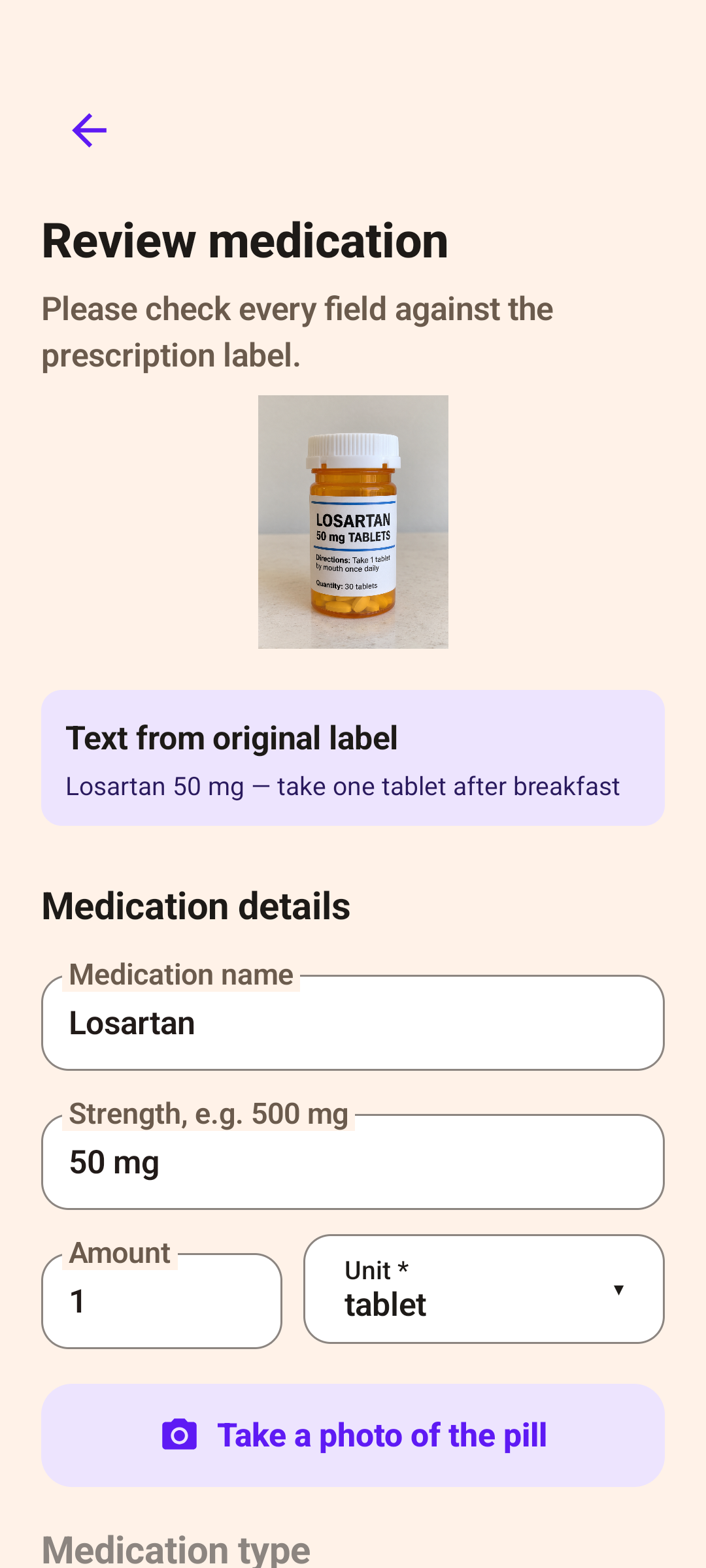
Photograph the label.
Check every detail.
Use a prescription bag, pharmacy label or paper prescription. Confirm the medicine, dose and timing before saving.
For you and the people you care about
Ontimo helps you organise medicine labels, set reminders and record each dose. Less typing, a little more peace of mind.
No account needed · English / 繁體中文 / Bahasa Indonesia

From the label to your daily routine
AI helps read the label. You check the details against your prescription and follow your healthcare professional’s instructions.
Use a prescription bag, pharmacy label or paper prescription. Confirm the medicine, dose and timing before saving.
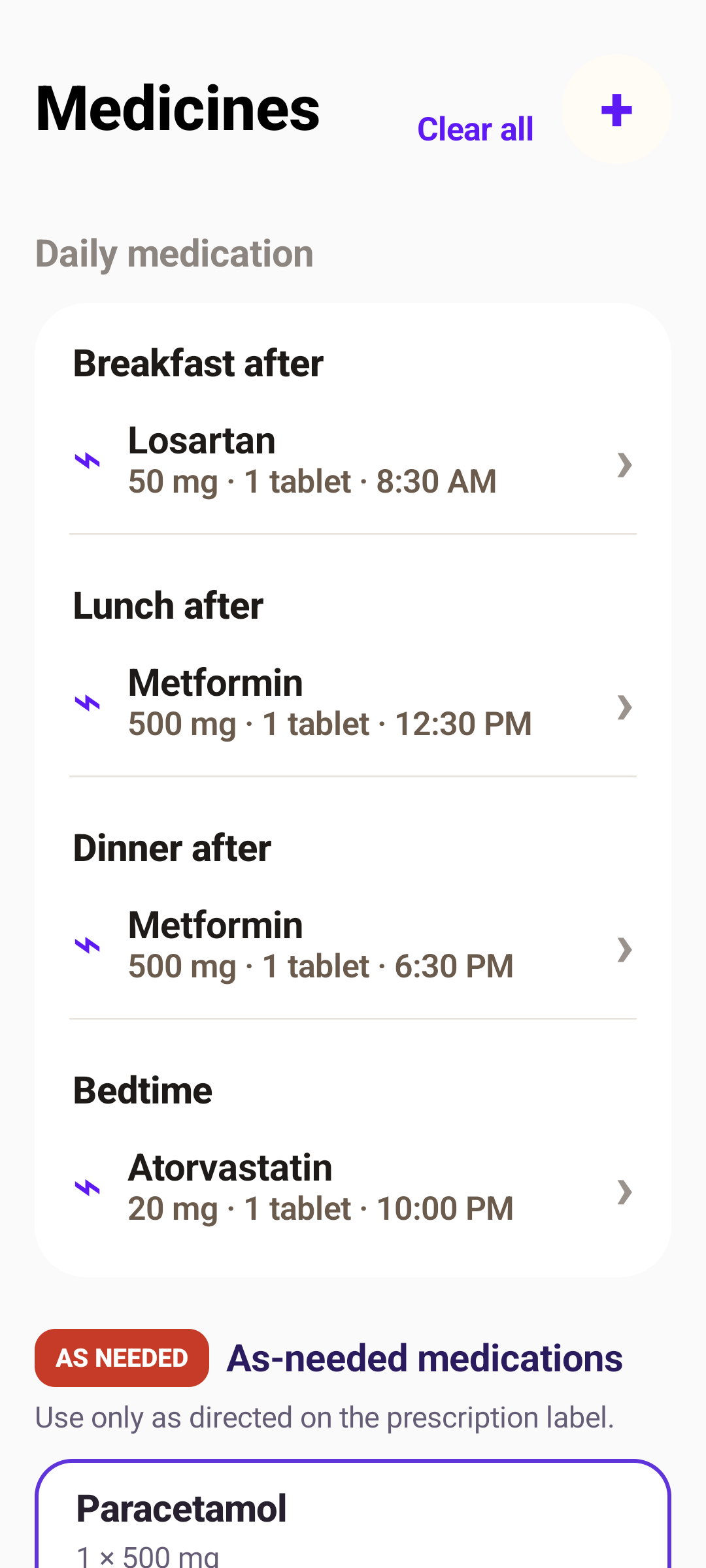
Set times according to your prescription. Android schedules reminders on your phone; notification permissions must be enabled.
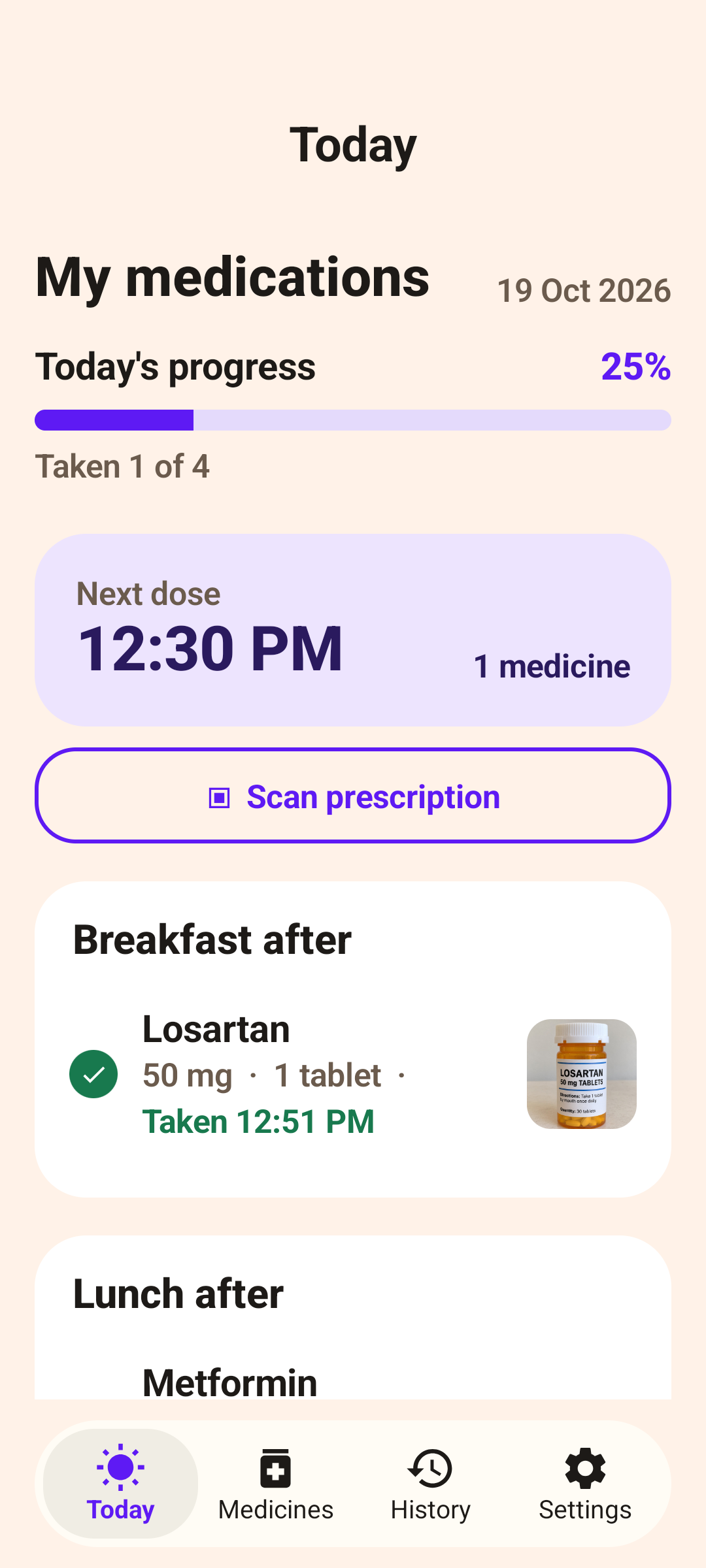
Mark doses as taken, check today’s progress and look back at your history. Screens show example medicines and records.
About Ontimo
He takes several medicines a day, a thick stack of prescription bags, each one on its own schedule. The hard part was never the taking. It was remembering which one, and when. Once there are enough of them, memory and a pill box stop being enough.
So I made Ontimo.
Photograph the prescription bag, the pharmacy label or the paper prescription, and Ontimo sorts out the medicine, the dose and the timing.
Once it is set up, it reminds you when a dose is due and keeps track of what has been taken. Each medicine can have a photo too, so pills that look alike are harder to mix up.
It began as a way to make my dad's medicines simpler. Then it seemed like other people taking a lot of medicine every day, or sorting it out for family, might need it as well.
Ontimo, a medication reminder app made in Taiwan.
Joanne · Creator of Ontimo
ANDROID PRICING
Manual medicine entry, reminders and dose history are free to use.
10 free starter scans
Need more? Buy a pack of 20 scans in the app. Check Google Play at checkout for the current price.
These details apply to Android. See the iPhone app for its available plans.
Medicine lists and dose history stay on your phone. AI scan photos pass through Cloudflare to Anthropic; scan balances and purchase verification are handled on the server.
Read the Android privacy policy ↗Before you download
Ontimo is a medication reminder and dose tracking app. Photograph a prescription bag, medicine label or paper prescription and AI helps read the medicine, dose and timing. Check and save the details to set up reminders, or enter medicines manually.
Manual medicine entry, reminders and dose history are free, without buying scan credits. Android includes 10 starter AI scans. Additional scans are available in packs of 20; the current price appears at Google Play checkout.
AI scanning needs internet: photos pass through Cloudflare to Anthropic for recognition. Once set, Android reminders are scheduled locally and dose history stays on the phone. Notifications depend on the phone’s notification and alarm permissions.
You can help set up reminders on your parent’s phone, or record the medicines of someone you care for on your own phone. Reminders and records stay on that device; cross-device syncing is not currently supported.
Yes. Add them manually and set times according to the product label and your healthcare professional’s advice. Ontimo does not assess doses, interactions or whether a supplement is suitable for you.
Before saving, check the medicine name, dose, quantity and timing against the original label or prescription. Correct any errors, take a clearer photo or enter the details manually. Do not rely on an unchecked scan.
Medicine lists, dose history and reference photos are stored on your phone. AI scan photos are sent to Anthropic for processing; Ontimo’s relay service does not retain scan photos or extracted medicine details. The server separately holds scan balances, installation identifiers and purchase verification data. See the Android privacy policy for details.
Uninstalling the app or clearing its data deletes local medicine records. Scan credits are separate: save your scan-credit recovery code in Settings to reconnect to your balance. The code does not back up medicines or dose history.
Android supports English, Traditional Chinese and Indonesian. No account is needed. You can switch the app’s language to suit the person using it.
Check Ontimo’s notification permission, alarm permissions and your phone’s battery or background restrictions. Set a reminder a few minutes ahead to confirm it works. If needed, email joannesun.dev@gmail.com with your phone model and Android version; you do not need to send private prescription photos.
Ontimo is a reminder and record-keeping tool, not a replacement for medical advice. Check every scan against the original label and follow your doctor’s or pharmacist’s instructions.